SMTP settings using Microsoft 365
This guide walks you through how to get the information you need to set up your Immich instance to send emails using Microsoft's SMTP server.
Create an app password
You will need to generate an app password to use your Microsoft email in Immich. Depending on if you have a personal or business account, you can use https://go.microsoft.com/fwlink/?linkid=2274139 or https://myaccount.microsoft.com/securtiy-info respectively.
Entering the SMTP credential in Immich
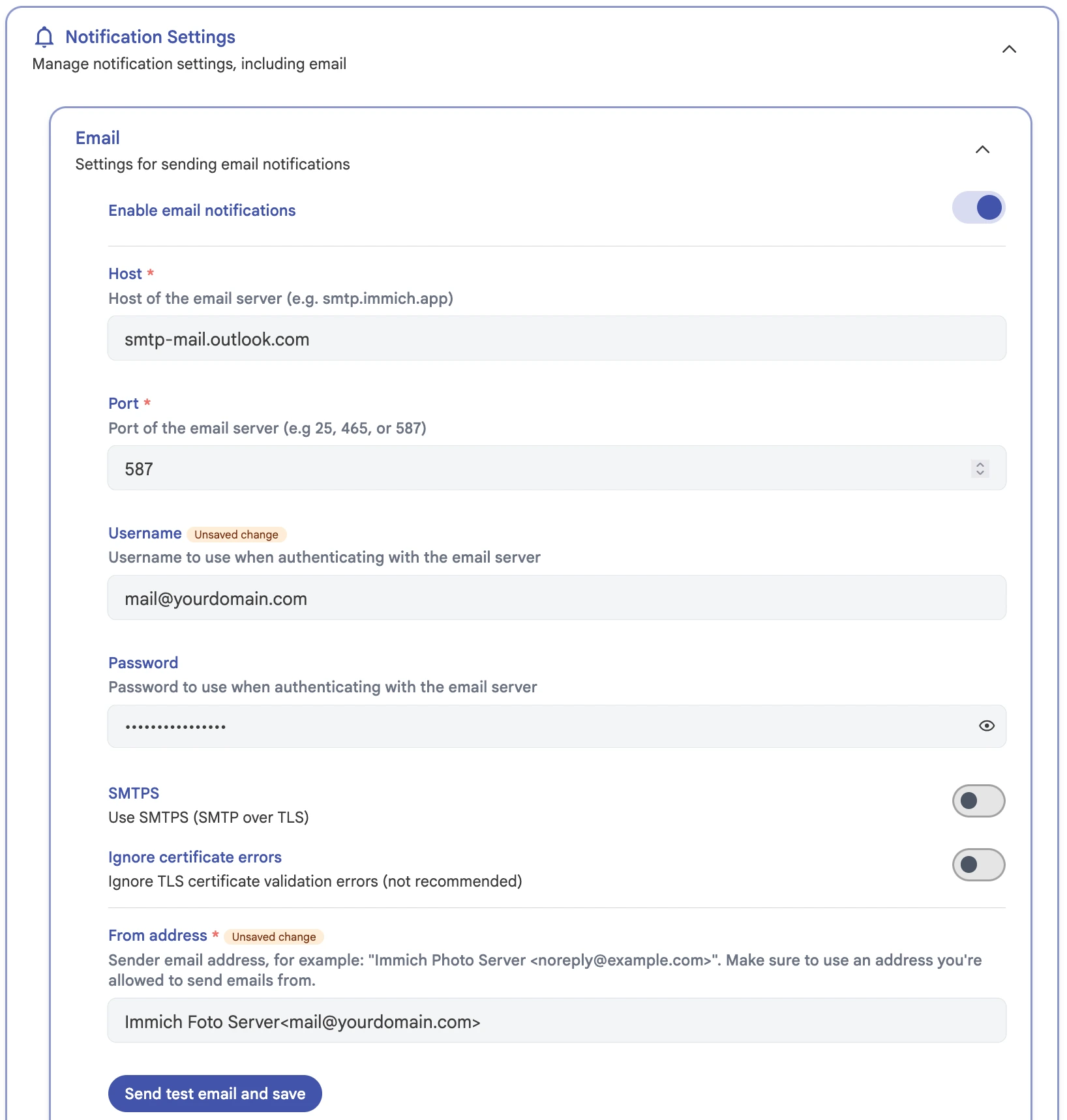
Entering your credential in Immich's email notification settings at Administration -> Settings -> Notification Settings
Host: smtp-mail.outlook.com Port: 587 username: your mail address Password: app password you created earlier SMTPS: set it to disabled